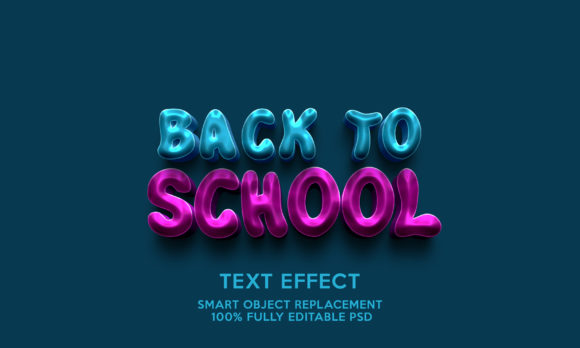
Back to School Text Effects Template: A Practical Tool for Designers, Marketers, and Educators
If you have ever tried to create eye-catching text for back-to-school promotions, classroom materials, or seasonal social media posts, you know how time-consuming it can be. Between choosing fonts, arranging layers, and ensuring everything looks consistent, a simple design project can quickly turn into an afternoon of frustration. That is where a resource like the Back to School Text Effects Template comes in. It is not just another design file. It is a practical shortcut for anyone who needs polished, editable text effects without starting from scratch.
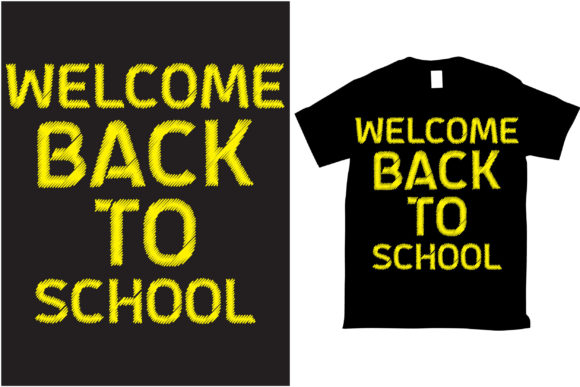
This template gives you a head start. It includes 100 editable fonts and words, all neatly organized in folders, so you can scroll, select, and customize without digging through messy layers. Whether you are a small business owner, a teacher, a content creator, or a parent helping with school projects, this template offers real flexibility. And because it comes in both .PSD and .jpg formats inside a .zip file, you can work with it in Photoshop CS3 or higher without worrying about compatibility issues.
Why This Template Works for Real People in Real Situations
The back-to-school season brings a rush of deadlines. Teachers need posters for open houses. Parents want to create personalized school supplies or first-day signs. Local businesses run promotions targeting students and families. In the middle of all that, sitting down to design original text effects from scratch is rarely practical. That is where a pre-built template saves you time and effort.
The Back to School Text Effects Template is designed for people who want professional-looking results without requiring a graphic design degree. The phrase "no skill requirement" is not just marketing talk. It means you can open the file, find the word or font you want, and change it immediately. The layers are arranged in folders, so you do not have to hunt for the right element. Everything is labeled. You can edit the text, adjust the color, resize it, and apply your own branding without worrying about breaking the design.
For Small Business Owners and Marketers
If you run a local business, you know that back-to-school marketing is one of the most competitive seasons of the year. Everyone from office supply stores to tutoring centers, clothing brands to lunchbox makers, is trying to grab attention. You need visuals that stand out on flyers, social media posts, email headers, and in-store signage. Using a text effects template lets you create consistent branding across multiple channels without hiring a designer for every single piece.
Imagine you are promoting a back-to-school sale. You want a bold headline that says "20% Off All Backpacks" in a playful, school-themed font. Instead of spending an hour tweaking layer styles and shadow effects, you open the template, pick one of the 100 editable words, type in your own message, and adjust the color to match your brand. In minutes, you have a finished graphic ready to export. The same template can be reused for different products or messages throughout the season, so your marketing stays fresh without eating into your work time.
For Teachers and School Staff
Teachers rarely get enough time for design work. Between lesson planning, grading, and classroom management, creating bulletin board headers, welcome signs, or event posters often happens late at night or during a spare few minutes between classes. The Back to School Text Effects Template can help you produce polished materials that look like they came from a professional print shop, even if you are working on a school laptop with an older version of Photoshop.
You might use it to create a "Welcome Back" banner for your classroom door, a reading corner sign, or subject labels for different areas of the room. Because the fonts and words are already designed with a cohesive back-to-school aesthetic, everything you make will match. You can also involve older students in customizing signs for school events, giving them a chance to practice basic design skills without needing advanced software knowledge.
For Parents and Family Use
First-day-of-school signs are a beloved tradition. Parents stand at the front door or bus stop, holding a sign that announces the child's name, grade, and year. A template makes it easy to create a sign that looks polished and personal. Instead of handwriting on a poster board or struggling with a basic word processor, you open the .PSD file, type in your child's name and grade, pick a fun text effect, and print it out. You can even add the school name, teacher's name, or a special message.
Beyond first-day signs, you can use the template to create personalized notebook covers, lunchbox labels, or homework station decorations. The 100 editable words give you plenty of options for common back-to-school phrases, and if you need something specific, you can type it in yourself. The high resolution ensures that whatever you print looks crisp, whether you are using a home printer or sending it to a photo lab.
Who Benefits Most from This Template
The Back to School Text Effects Template is versatile enough to serve different audiences, but some groups will find it especially useful. Freelance designers who take on seasonal projects can use it as a base for client work, saving hours of setup time. Nonprofit organizations running school supply drives or back-to-school events can create branded materials without spending their limited budget on design services. Church groups, community centers, and sports leagues that host fall registration events can also benefit from having a ready-to-use text effects library.
Even if you have never opened Photoshop before, you can use this template. The arrangement of layers into folders makes it easy to find what you need. The included .jpg file gives you a preview, so you know what the design looks like before you start editing. And because all words and fonts are 100 percent editable, you are not locked into any specific message. You can change everything to fit your exact needs.
What to Consider Before Using the Template
While this template is designed to be straightforward, there are a few things worth thinking about before you start. First, make sure you have a version of Photoshop that can handle .PSD files. The template works with Photoshop CS3 or higher, so if you are using an older version or a different program entirely, you may run into compatibility issues. That said, the included .jpg file gives you a static preview that you can use for reference or quick use if needed.
Another consideration is the style of the text effects themselves. The template is built around a back-to-school theme, so the fonts and effects lean into playful, educational, and seasonal aesthetics. If you are looking for a corporate or minimalist look, this may not be the right match. But for anything related to school, learning, childhood, or seasonal promotions, the style is likely to fit well.
You should also think about how you plan to use the final files. The high resolution means you can print them at various sizes without losing quality, but if you are using them exclusively for digital screens, you may want to resize them to keep file sizes manageable. The template gives you flexibility, but a little planning upfront can save you time later.
Strengths That Make This Template Stand Out
One of the biggest strengths of this template is how organized it is. Layers are grouped in folders with clear names, so you can find exactly what you want to edit without guessing. This is especially helpful if you are not a regular Photoshop user. You do not need to understand layer masks or blending modes to make changes. You just click on the text layer, type your own words, and the effect stays in place.
Another strength is the sheer number of options. With 100 editable fonts and words, you have a wide range of starting points. Whether you need a single bold word for a poster headline or a longer phrase for a banner, you can find something close to what you need and customize it. This variety also means you can use the template for multiple projects without repeating the same look.
The file format also deserves mention. A .zip file containing both .PSD and .jpg is a standard, reliable package. You do not need to worry about missing fonts or broken links, because the text effects are built into the layers. Everything you need to edit is already inside the file.
A Few Limitations to Keep in Mind
No tool is perfect, and this template has a few limitations worth noting. Because it is designed for back-to-school use, the text effects may not suit other seasons or themes without significant reworking. If you try to use a school-themed text effect for a holiday promotion or a corporate event, it might look out of place. That is not a flaw in the template itself, but something to consider when planning your projects.
Also, while the template is designed to be easy to edit, you still need basic familiarity with Photoshop. Opening a .PSD file, navigating layers, and using the text tool are simple tasks, but if you have never used the software before, there may be a short learning curve. A quick online search for "how to edit text in Photoshop" can help, and the folder structure makes it as easy as possible.
Finally, the template gives you great starting points, but it is still a template. If you want a completely unique or custom look, you will need to put in additional work. For most people, that trade-off is worth it because the time saved far outweighs the effort of building from scratch.
Practical Ways to Get the Most Out of This Template
To really make this template work for you, think about your workflow. Start by opening the .jpg preview to get a sense of what each word and font looks like. Then open the .PSD file, find the folder that contains the style you like, and start editing. Change the text to match your message, adjust colors if needed, and save your work as a new file so you keep the original intact.
If you are using the template for multiple projects, consider creating a folder system to organize your variations. You might have one folder for social media graphics, another for print materials, and a third for signage. That way, you can quickly find the version you need later without reopening files and trying to remember what you changed.
For business use, consistency matters. Stick with one or two text effects from the template and use them across all your back-to-school materials. This builds visual recognition and makes your brand look more professional. For personal use, feel free to experiment with different styles for different projects. The template gives you room to be creative without the pressure of designing everything from scratch.
The Back to School Text Effects Template is not a magic solution, but it is a practical one. It saves time, reduces frustration, and gives you a professional starting point for a wide range of projects. Whether you are promoting a sale, decorating a classroom, or creating a keepsake for your child, this template helps you get the job done without unnecessary hassle. And in the busy back-to-school season, that is exactly what most people need.